
February 23, 2026
You have an application in process at IRCC and moved to another address. Keeping your address up to date with IRCC is essential to avoid missing important documents such as PR cards, work permits, biometrics notices, or citizenship correspondence.
Trying to retrieve lost documents from Immigration because the address had not been updated generates delays, inconvenience and costs, so it is very important to keep your address updated.
Below is the procedure based on IRCC’s official instructions.
There are generally two ways to change your address depending on the nature of the process before IRCC.
2. IRCC DEDICATED ONLINE TOOL
If you are in Canada and you submitted an application for permanent residence, citizenship or you are waiting for your PR Card, then you can use the dedicated address change online tool.
STEP 1: Go to Google and look for change of address IRCC.
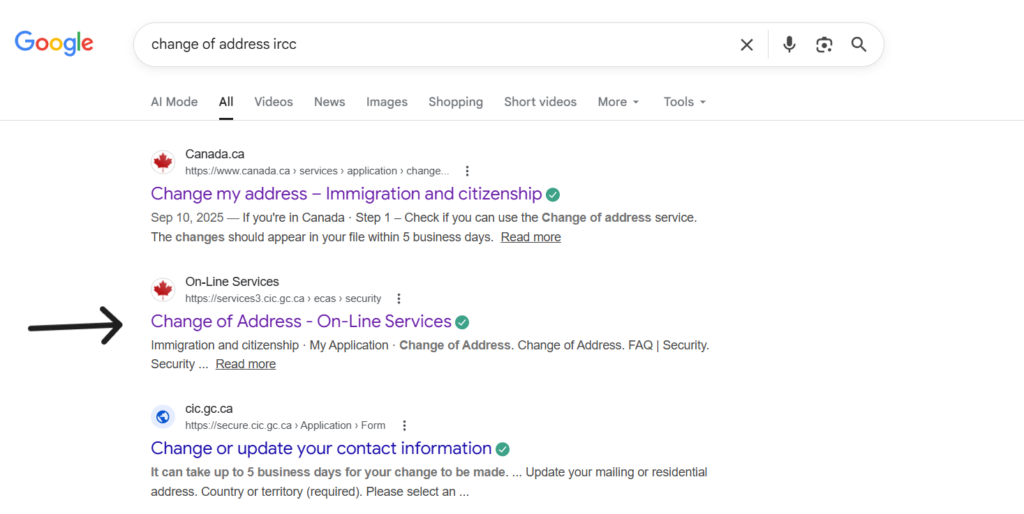
STEP 2: Click on the change of address link.
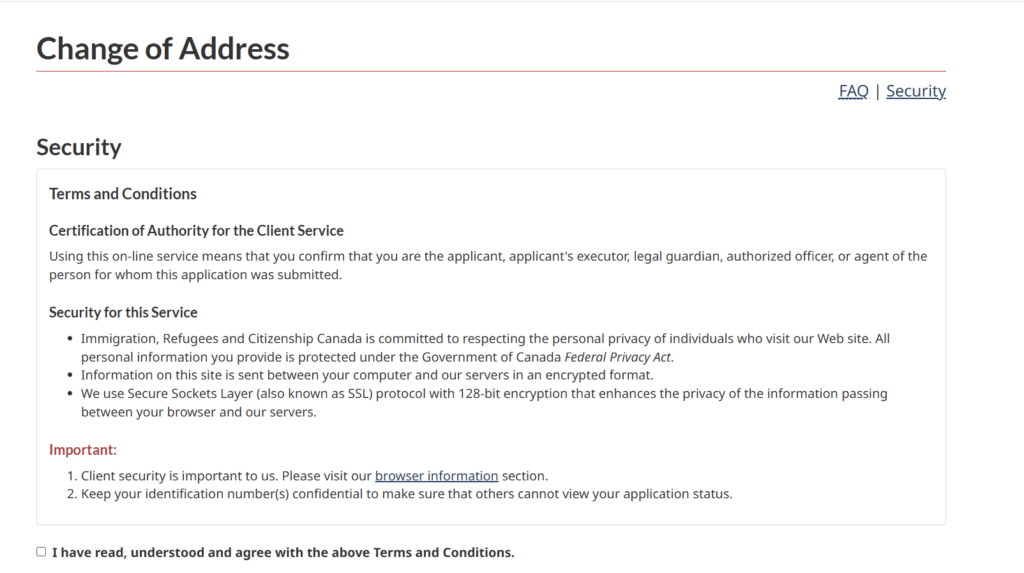
STEP 3: answer the identification questions, so IRCC retrieves your file.
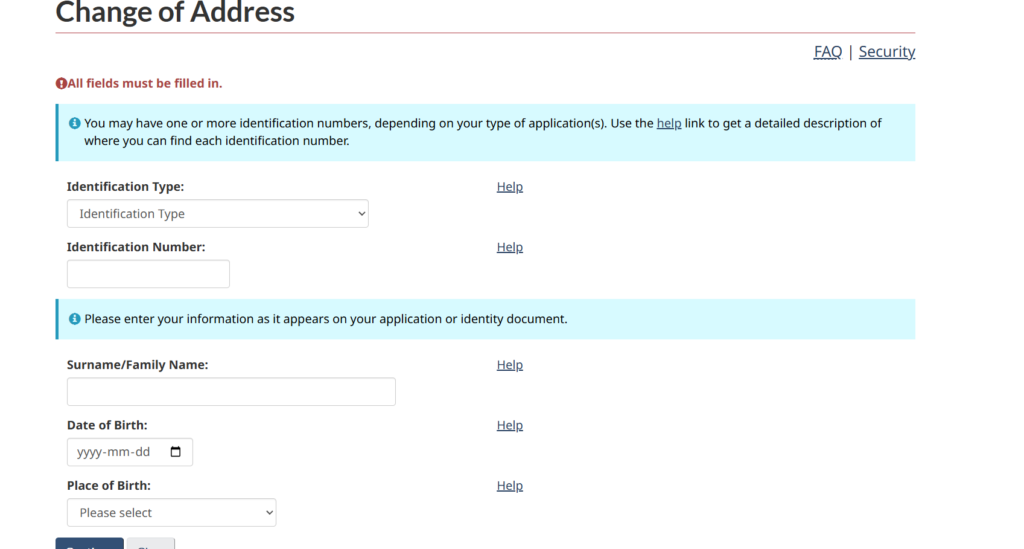
STEP 4: Once the system retrieves your application, you can go ahead and change your address.
STEP 5: Submit your request of change of address and receive an confirmation message.
NOTE: This tool has frequent issues retrieving the file. If that happens, you will need to update your address through webform.
2. WEBFORM TOOL
If you are either in Canada or outside Canada, and have applied for a temporary resident application, such as a work permit, study permit, a TRV (also commonly known as visitor’s visa) or extension of any temporary resident status, then you can use the generic webform tool offered by Immigration, Citizenship and Refuges Canada (IRCC) to communicate with them.
Note: If you could have used the dedicated online tool if the address change and it doesn’t work for any reason, you can still use the generic webform method to update your application. The webform tool is available for every application there is in process, whether inside or outside Canada.
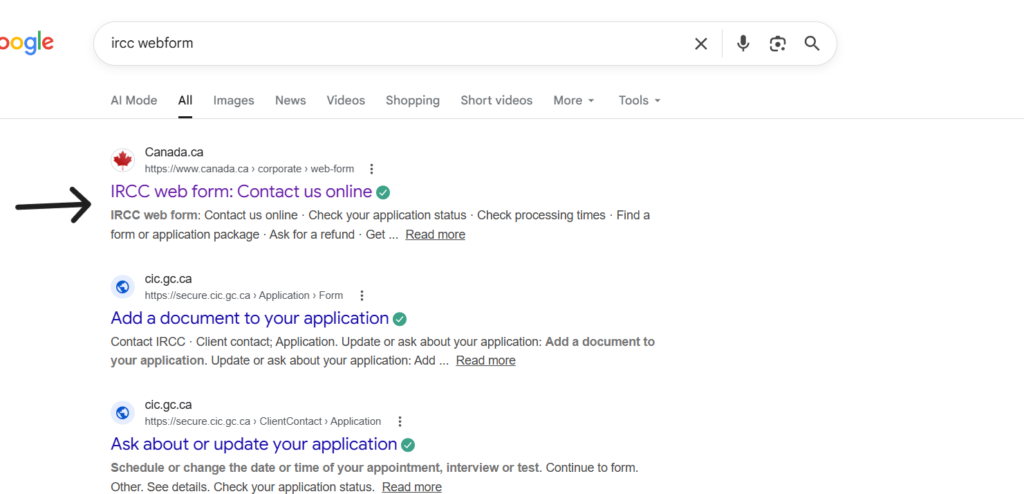
STEP 1: Go to Google and search for IRCC Webform
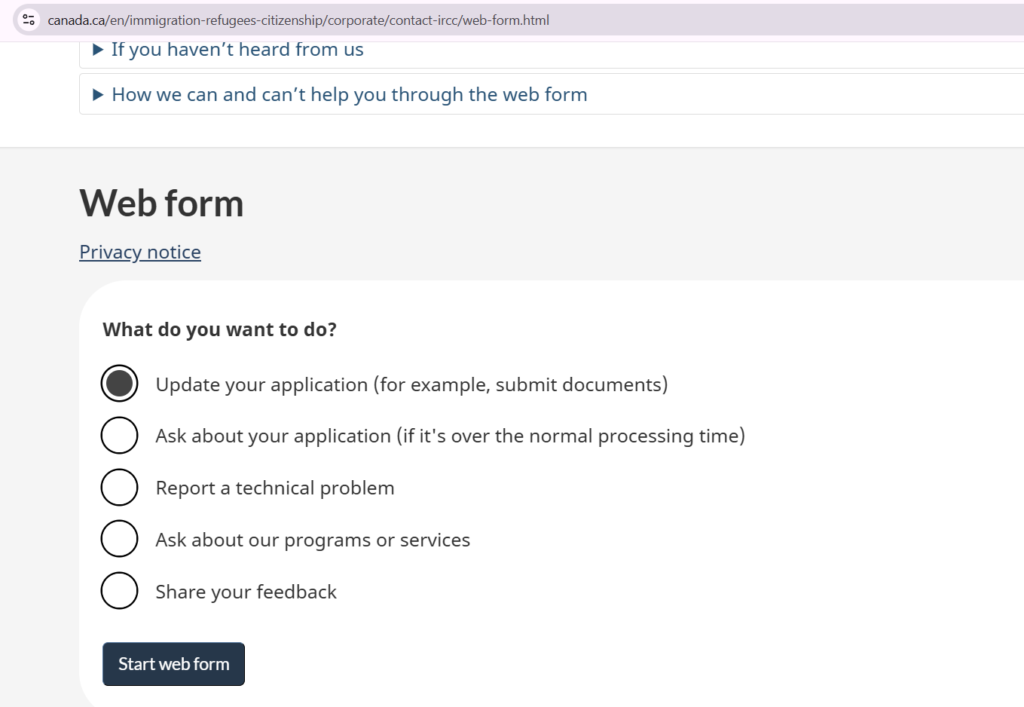
STEP 2: Choose the option to Update your application
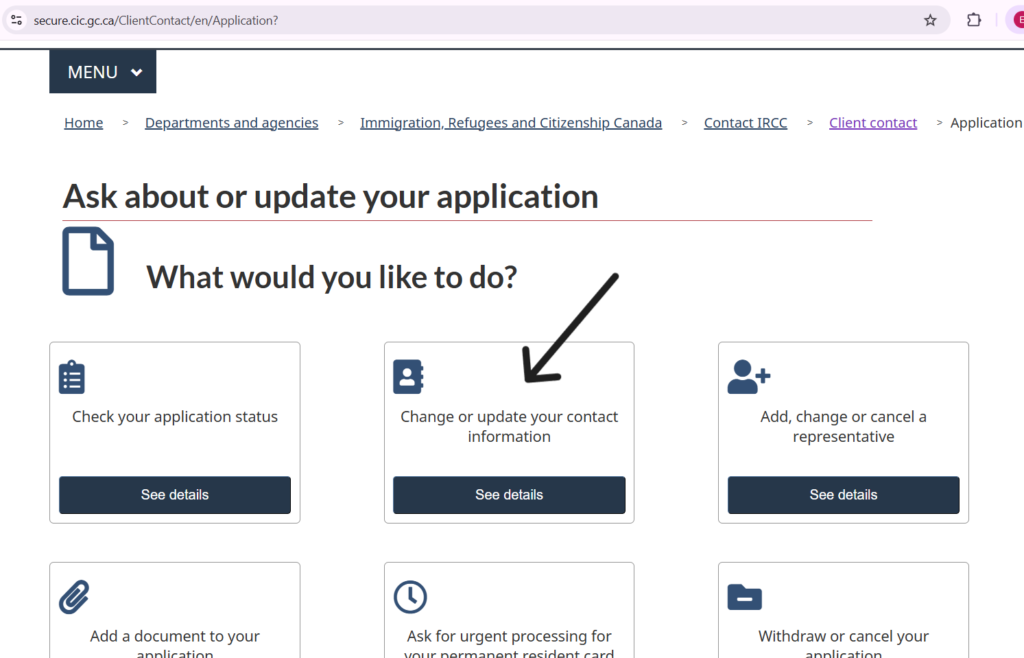
STEP 3: Choose to Update your contact information
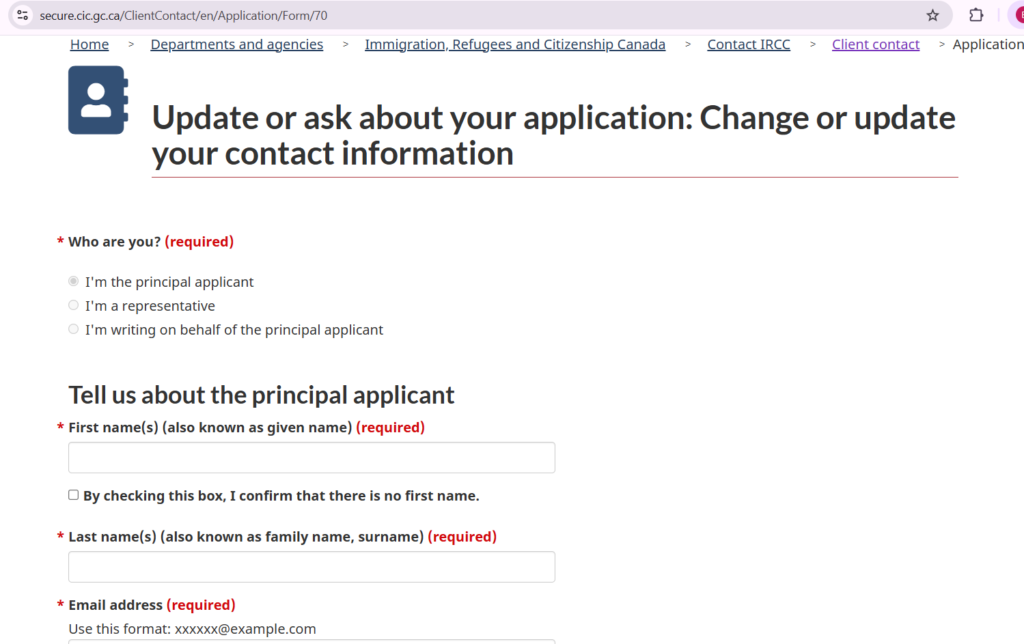
STEP 4: fill the information required to change your address.
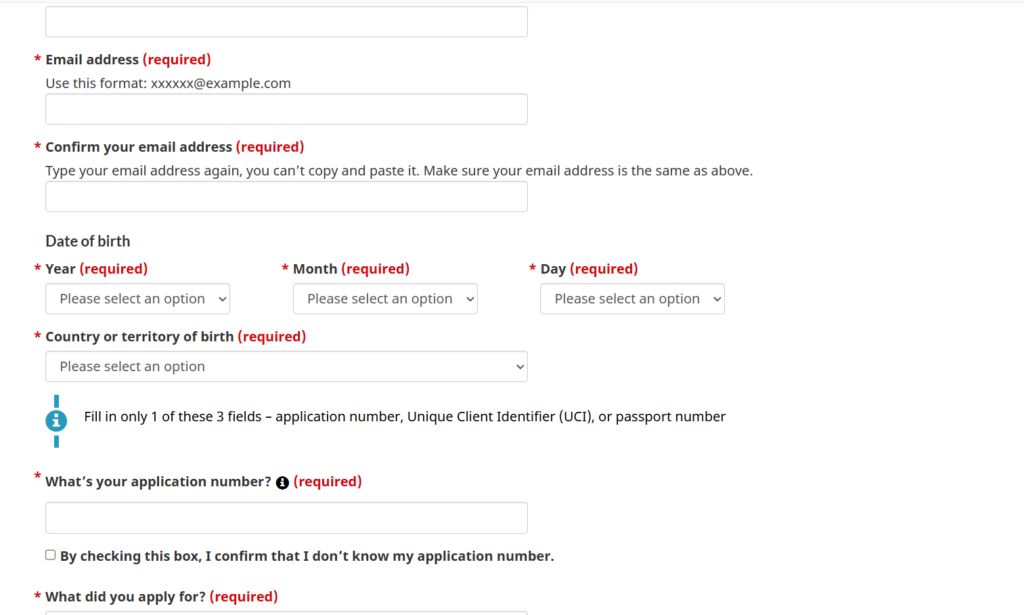
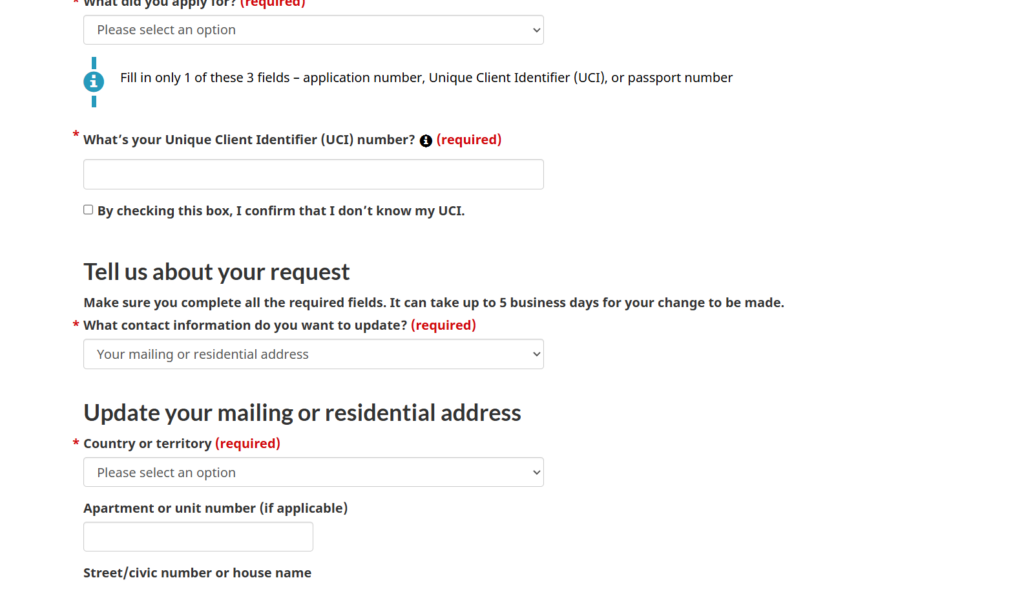
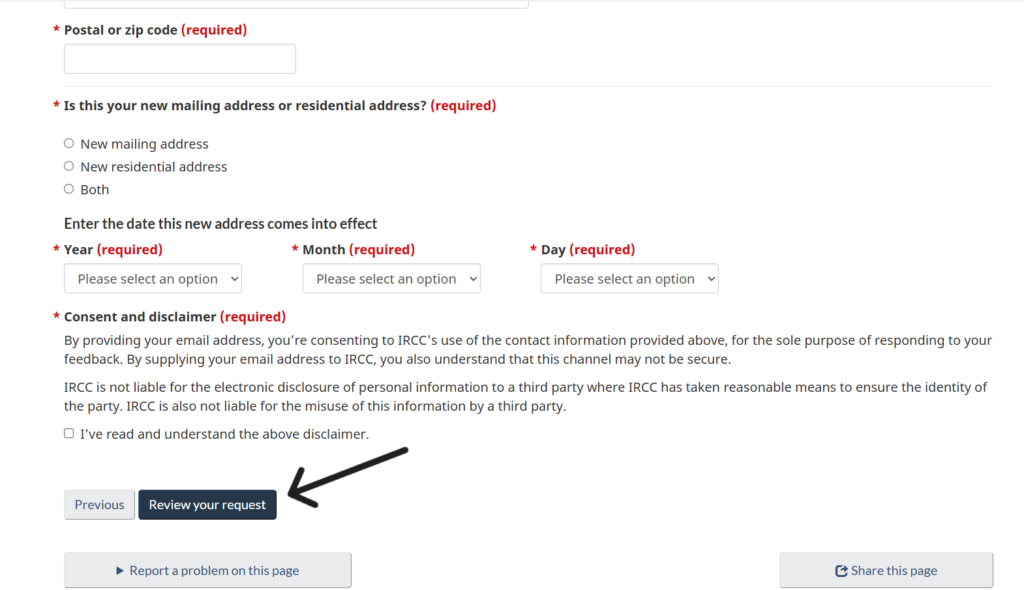
STEP 4: Review the information you have submitted by pressing Review
STEP 5: Press submit Request- after that you will receive a message saying that you have submitted the change of address.
IMPORTANT NOTE:
If you have an authorized representative, DO NOT change the mailing address that should correspond to the address of your representative’s office. Update only your residential address.
If you do not have a representative because you are making the application by yourself, you must change both mailing and residential address.
Important points:
- Know where to find your information such as UCI numbers, Application numbers.
- Know if your application is being processed in Canada or outside Canada.
– For temporary residence applications, the place of application processing is determined by where the applicant’s residence is
– However, sometimes IRCC sends the applications to other Visa offices. You may need to check the correspondence you have received from IRCC and see if the letter says the Visa Office where the application is being processed.
This webform tool also allows you to respond to additional document requests from IRCC about any application that is ongoing, so this is the tool people need to use to communicate with IRCC.